A content management system should fit the way a display network will be operated. A small campus team and a regional advertising operator may need different permissions, schedules and reporting. Before comparing software demonstrations, write down the everyday publishing tasks and the conditions the system must handle.
Define the publishing workflow
Identify who creates content, who approves it and who can publish to each location. Ask suppliers to demonstrate the roles your team actually needs. Include the process for a correction, an urgent notice and a scheduled campaign. If approval history matters to the project, make it an explicit requirement rather than assuming it is included.
Confirm hardware compatibility
List the proposed players, operating systems, display orientations and content formats. Request a demonstration on representative hardware using your own sample files. Confirm resolution handling, language fonts and any interactive or data-driven content separately. A feature available in one player version may require a different configuration on another device.
Specify network and offline behavior
Document whether each site uses LAN, Wi-Fi or a mobile connection. Ask what happens to scheduled content when connectivity is lost, how updates resume and how the operator can identify a device that has not received a change. Confirm the data usage assumptions for the planned media and update schedule.
Review fleet operations
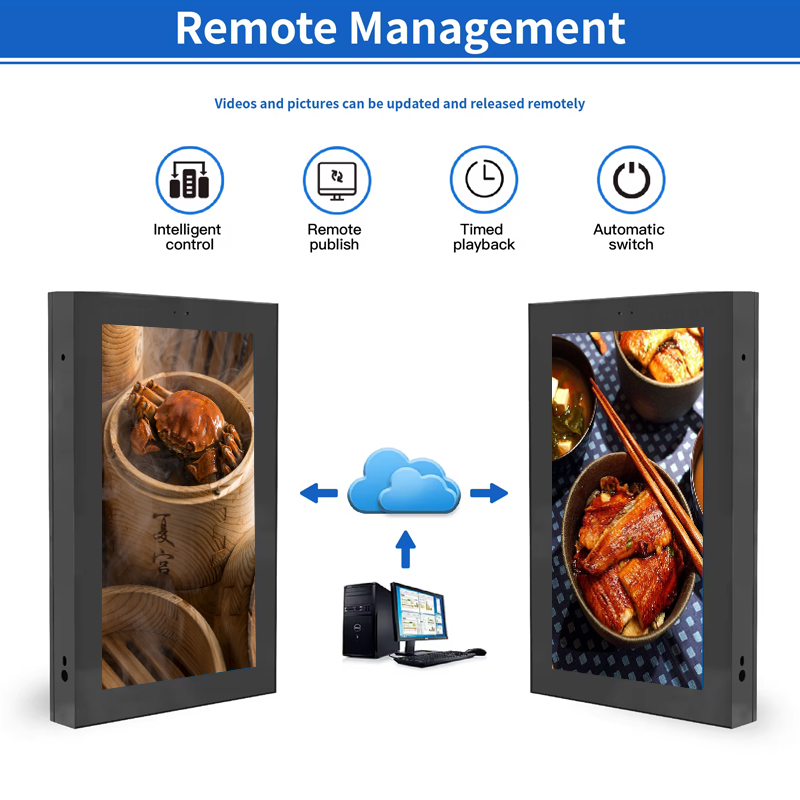
Consider device grouping, location-based schedules and time-zone handling. Ask the supplier to show how an operator finds a particular screen, changes one location and checks the status of a group. If playback reporting, alerting or remote diagnostics are needed, include them in the quoted scope and acceptance review.
Understand the commercial handover
Clarify software ownership, hosting responsibility, subscription terms and the process for adding or removing devices. Ask how content and device records can be exported, which support services are included and who applies software updates. Record these answers alongside the hardware proposal.
A useful evaluation ends with a short pilot covering publication, scheduling, a network interruption and operator handover. Compare proposals against the same scenarios. This makes it easier to choose a CMS that supports the intended operating model and to identify work that requires a separate integration or service agreement.
Related products
Outdoor LCD Digital Signage Kiosk · Solar-Powered E-Paper Information Display